
Rap Fame - Rap Music Studio
Rap Tech StudiosMusic & Audio
4.717.46K Reviews
- Version
- 3.98.0
- Installs
- 10.00M
- Age Rating
- Teen
Screenshots

Our Review of Rap Fame - Rap Music Studio
 Analysis by Appyee
My most useful way to approach Rap Fame - Rap Music Studio is as a place to turn a rough idea into a shareable rap demo. It brings beat selection, recording, vocal effects and a community together, so I can go from trying a few lines to hearing them over a backing track without first setting up a full desktop studio. That makes it appealing when I want to experiment casually, but it also means the app has a particular focus: it is built around making and sharing rap, not serving as a general-purpose audio workstation.
Start with a repeatable recording routine
I get more out of a recording app when I don’t make every session a fresh experiment. With this one, I’d start by choosing a beat that suits the pace and mood of the idea, then record a short test before committing to a complete verse. That quick pass gives me a chance to check whether the rhythm leaves enough room for the words and whether my delivery feels comfortable over the instrumental.
For a practical everyday session, imagine catching a couple of lines during a break. I can open the app, try them against a beat, and save the session for later rather than waiting until I have a perfect concept. When I come back, I can listen with fresh ears and decide whether the flow works. That small habit is more useful than trying to polish everything in one sitting, especially when I’m still working out the cadence.
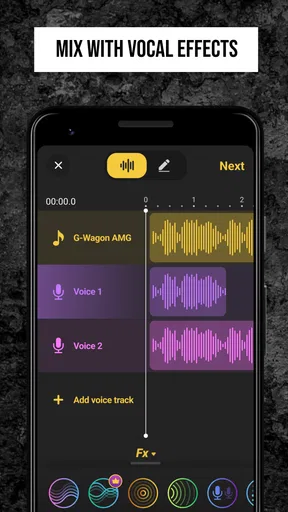
I’d also keep early takes simple. Record the idea first, then use vocal effects as a finishing choice instead of piling them on before I know what the performance needs. Reverb or echo can add atmosphere, but they can also make a tightly delivered line less clear. Comparing a relatively dry take with an effected one helps me judge whether the effect supports the words or merely draws attention to itself.
Build a session around the choices that matter
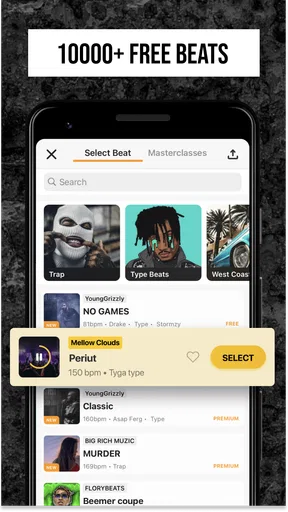
The large beat selection is a strong starting point, but abundance can slow down a session if I browse without a purpose. I find it helps to decide on a mood or tempo before listening through options. Even a simple note such as “laid-back verse” or “heavier hook” gives me a filter for choosing, and it keeps the session focused on writing rather than endlessly auditioning instrumentals.
Uploading a beat of my own can make the app more useful when I already have a particular backing track in mind. The trade-off is that importing a beat is only one part of the workflow: I still need to make sure the track leaves space for the vocal and that the recording feels balanced. If I’m just trying out an idea, choosing a built-in beat may be quicker; if the instrumental is central to the song, bringing my own gives me more control over the starting point.
Before sharing a track, I’d listen once for the performance and once for the mix. On the first pass, I’d focus on timing, diction and whether the lyrics land. On the second, I’d pay attention to how the effect sits against the beat. Separating those checks helps me avoid mistaking a polished-sounding vocal for a stronger take, and gives me a clearer idea of what to record again.
Know where a mobile rap studio fits
This is a convenient option for sketching, practicing delivery and putting a track in front of other rap fans. It is not the same thing as a detailed desktop production setup, where a musician may want extensive control over arrangement, mixing and external recording tools. If I were preparing a release that needed precise production work, I’d treat Rap Fame as a place to develop the vocal idea, then use a more specialized studio workflow for the final polish.
The community is another part of the experience, but sharing should be intentional. I’d post a take when I have a specific reason to invite reactions—perhaps I want to know whether a hook is memorable or whether a verse is easy to follow. Feedback is more actionable when I ask a focused question than when I simply hope that people will tell me what to improve. I’d also remember that a social response is one perspective, not a substitute for my own judgement about the song.
There are a few practical questions worth answering before making it part of a routine. Is it free to try? Yes, the app is free, though it includes in-app purchases priced from $0.99 to $400.00 per item, so I’d check purchase prompts carefully rather than assuming every option is included. Is it beginner-friendly? The recording and effects are approachable, but getting a satisfying result still depends on choosing a suitable beat and practicing the delivery. Can I use my own instrumental? The app supports uploading beats, which is useful if I already have one ready.
It is also worth thinking about the recording environment. A quiet room and a consistent distance from the phone can make a vocal easier to understand, while background noise can distract from even a good performance. I’d record a brief test before doing several takes, especially if I’m somewhere unfamiliar. That costs very little time and helps me catch avoidable problems before I get attached to a particular version.
Compared with a basic voice recorder, Rap Fame gives me a rap-focused route from beat to vocal effects and sharing, rather than leaving me to assemble those steps elsewhere. Compared with a full music-production app, it is more approachable for trying bars quickly but less suited to elaborate production. That middle ground is its clearest strength: I can make a creative sketch without turning a spontaneous idea into a technical project.
For an experienced user, the best “shortcut” is really a repeatable habit: keep a few writing ideas ready, audition beats with a clear mood in mind, test the vocal before a full take, and make effects decisions after listening back. None of that depends on a hidden tool; it is simply a way to spend less time wandering through choices and more time improving the performance. If I use the community, I’d share selectively and treat comments as input, not a verdict.
Those habits suit the app’s rap-centered design. Rap Fame is a free Music & Audio app from Rap Tech Studios, and its stated focus is a recording studio experience with a large beat library, vocal effects and a network for rappers and fans. It is rated Teen, has a 4.7 average from around 173,000 ratings, and has over 10 million installs. The current version is 3.78.6, with Android 7.0 as the minimum operating system requirement.
Getting Started with Rap Fame
First things first, let’s talk about setting up. Rap Fame is available on both Android and iOS, so no worries about compatibility. I found the installation process to be pretty straightforward. Once you’ve got it all set up, you’re greeted with a sleek interface that’s all about getting you into the groove as quickly as possible.
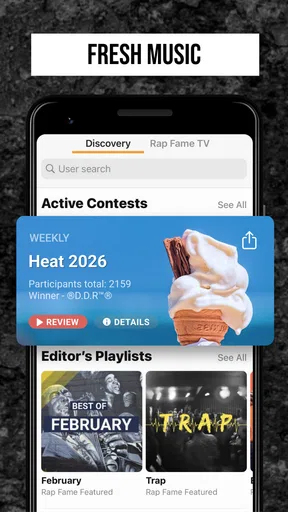
The home screen is where the magic starts. You get access to various beats, and let me tell you, they’re pretty dope. Whether you’re into something chilled or you want those heavy, bass-thumping beats, you’ve got options. And if you’re feeling particularly creative, you can upload your own beats to rap over. How cool is that?
Features That Make You Feel Like a Pro
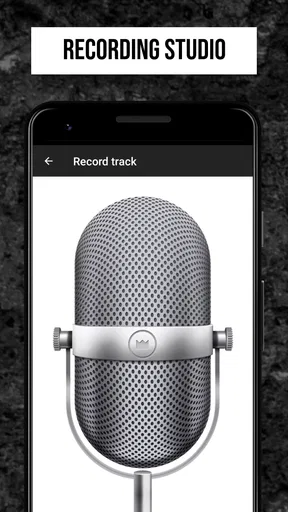
Now, let’s get into the features. The app is packed with tools that are designed to make you feel like you’re in a professional studio. There’s a recording feature that’s super intuitive. Just hit record and spit your bars. There’s even a nifty little editor that allows you to tweak your recordings. Want to add some effects? Go for it. The reverb and echo effects are my personal faves because they add a nice touch to any track.
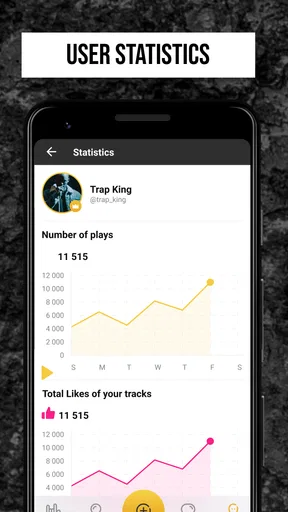
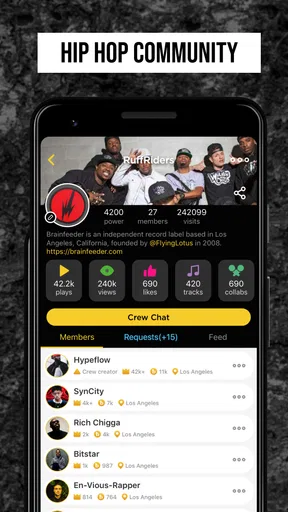
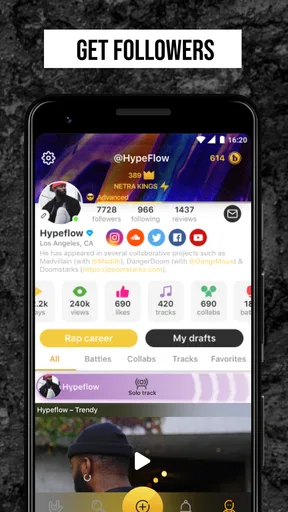
One thing I particularly appreciate is the community aspect of Rap Fame. Once you’ve crafted your masterpiece, you can share it with the app’s community. It’s a great way to get feedback and connect with other aspiring artists. You never know, you might just collaborate with someone who’s on the same wavelength as you.
Let’s Talk About the User Experience
Navigating through the app feels like a breeze. Everything is where you expect it to be. The learning curve is pretty gentle, so even if you’re not tech-savvy, you’ll get the hang of it quickly. The user interface is clean and doesn’t overwhelm you with unnecessary information. I appreciate how everything is laid out, making the creative process smooth and enjoyable.
Another thing worth mentioning is the app’s performance. I didn’t experience any major lags or crashes, which is a huge win in my book. There’s nothing worse than losing a recording because of a technical glitch. Kudos to the developers for keeping things stable.
What Keeps Me Coming Back
Alright, let’s wrap this up by discussing what keeps me coming back to Rap Fame - Rap Music Studio. It’s the sense of community and the endless creative possibilities. The app doesn’t just give you the tools to create; it gives you a platform to be heard. And in the world of music, that’s half the battle won.
Whether you’re a seasoned rapper or someone who’s just starting out, this app offers something for everyone. It’s a playground for musicians and a great way to hone your skills. Plus, it’s just plain fun. Who wouldn’t want to spend their free time laying down some tracks and vibing to their own music?
So, if you’re itching to unleash your inner rapper, give Rap Fame a spin. It might just be the spark you need to start your musical journey. And who knows? The next big name in rap could very well be you.
Verdict
Strengths of Rap Fame - Rap Music Studio
- User-friendly interface for beginners
- Extensive beat library to choose from
- Integrated social network to share tracks
- High-quality audio recording capabilities
- Frequent updates with new features
Limitations of Rap Fame - Rap Music Studio
- Some advanced features require payment
- In-app ads can be intrusive
- Limited offline functionality
- Occasional app crashes reported
- Requires a stable internet connection
Similar Picks in This Category
View All
YouTube Music
Google LLC4.4

Samsung Music
Samsung Electronics Co., Ltd.3.8

Spotify: Music and Podcasts
Spotify AB4.3

JioSaavn - Music & Podcasts
Saavn Media Limited4.3

Lark Player:Music Player & MP3
Lark Player Studio - Music, MP3 & Video Player4.6

StarMaker: Sing Karaoke Songs
SKYWORK AI PTE. LTD.4.3
Frequently Asked Questions
What features does Rap Fame offer for aspiring rappers?
Rap Fame provides a comprehensive suite of features for aspiring rappers, including a beat library, recording studio, and vocal effects. Users can also access a social platform to share their tracks, receive feedback, and collaborate with other artists. The app is designed to be a one-stop solution for creating and promoting rap music.
Is Rap Fame suitable for beginners with no experience in music production?
Yes, Rap Fame is beginner-friendly and offers an intuitive interface that simplifies music production. The app includes tutorials and tips to guide new users through the process of creating their first track. Even those without prior experience can quickly learn to navigate the features and produce quality music.
Does Rap Fame require an internet connection to use all its features?
While some features in Rap Fame, like accessing the beat library and social sharing, require an internet connection, users can record and edit tracks offline. This flexibility allows artists to work on their music anytime and anywhere, making it convenient for on-the-go creativity.
Are there any subscription fees or in-app purchases in Rap Fame?
Rap Fame offers a free version with basic features, but to unlock advanced tools and more beats, users may need to subscribe to a premium plan. In-app purchases are available for additional content, giving users the option to enhance their experience based on their needs and budget.
How does the community aspect of Rap Fame enhance the user experience?
The community aspect of Rap Fame allows users to connect with other rappers, share their tracks, and receive constructive feedback. This interactive platform fosters collaboration and support, helping artists grow and improve their skills. Engaging with the community can also lead to new opportunities and increased exposure for their music.
